SAM Account-Excellence Agent
A prototype that reads a hotel partner’s numbers, names the one or two issues that matter and drafts the email. Every recommendation cites the SOP it came from, and the account manager decides what gets sent.
The problem
A strategic account manager looks after a long list of hotel partners. Deciding who needs a call this week, and what to say, means reading several metrics per partner, finding the right SOP and writing an email from scratch.
A useful brief names one or two issues and the fix for each. I wanted an agent that does that reading and leaves healthy metrics alone.
What it does
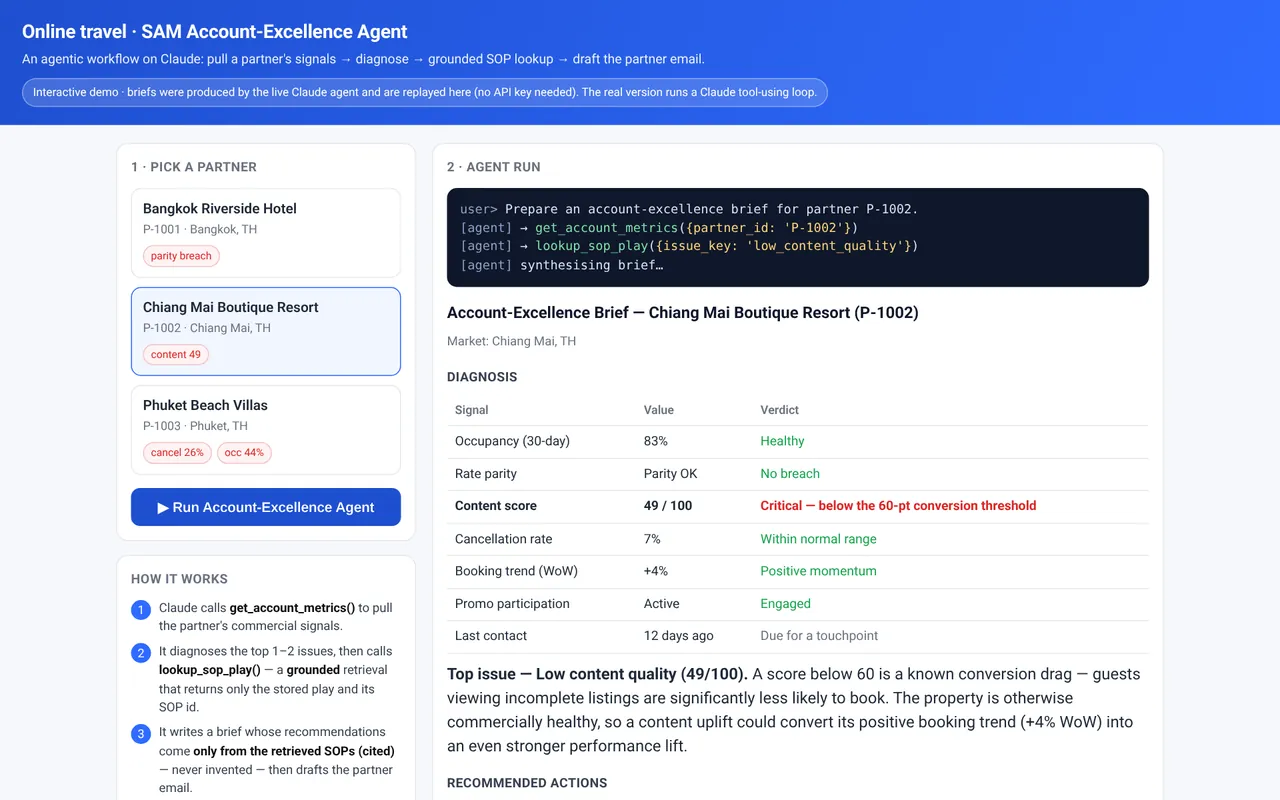
You pick a partner and run it. The agent reads occupancy, rate parity, content score, cancellation rate, booking trend, promo participation and days since the last contact.
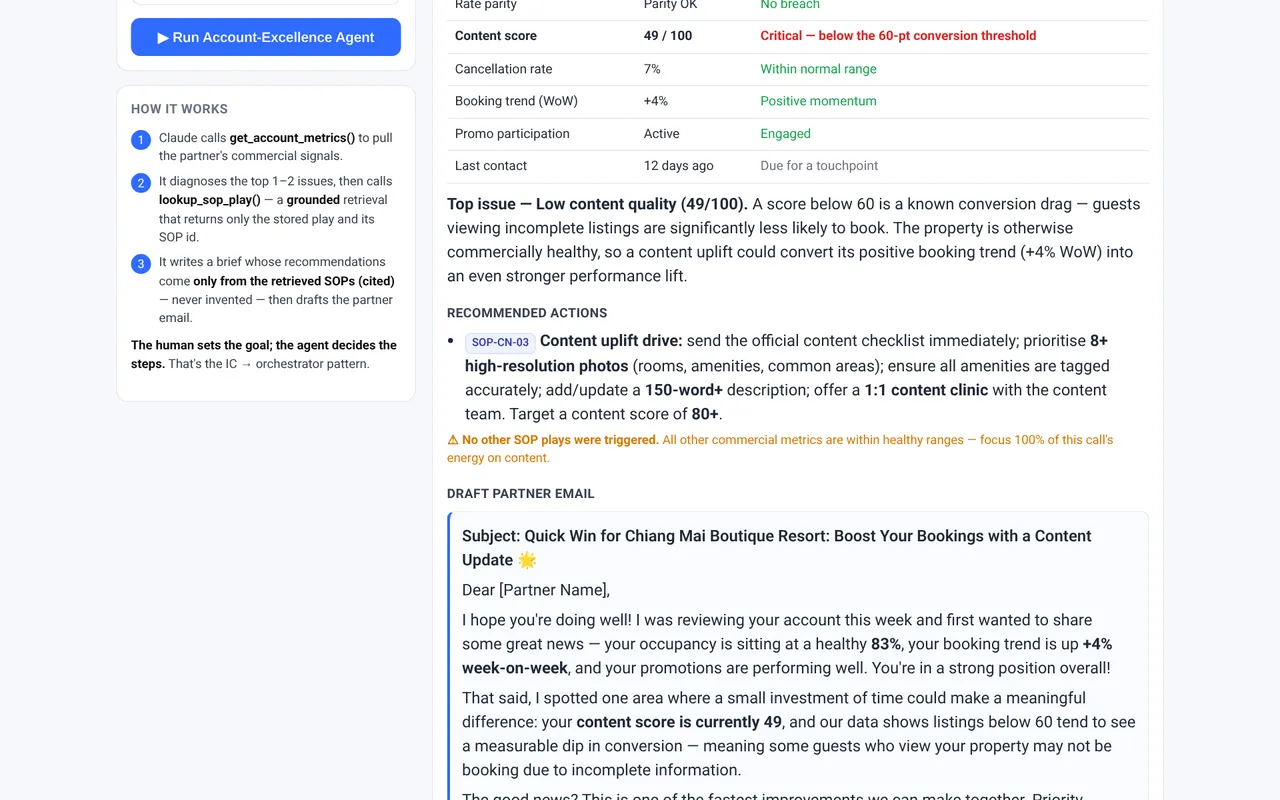
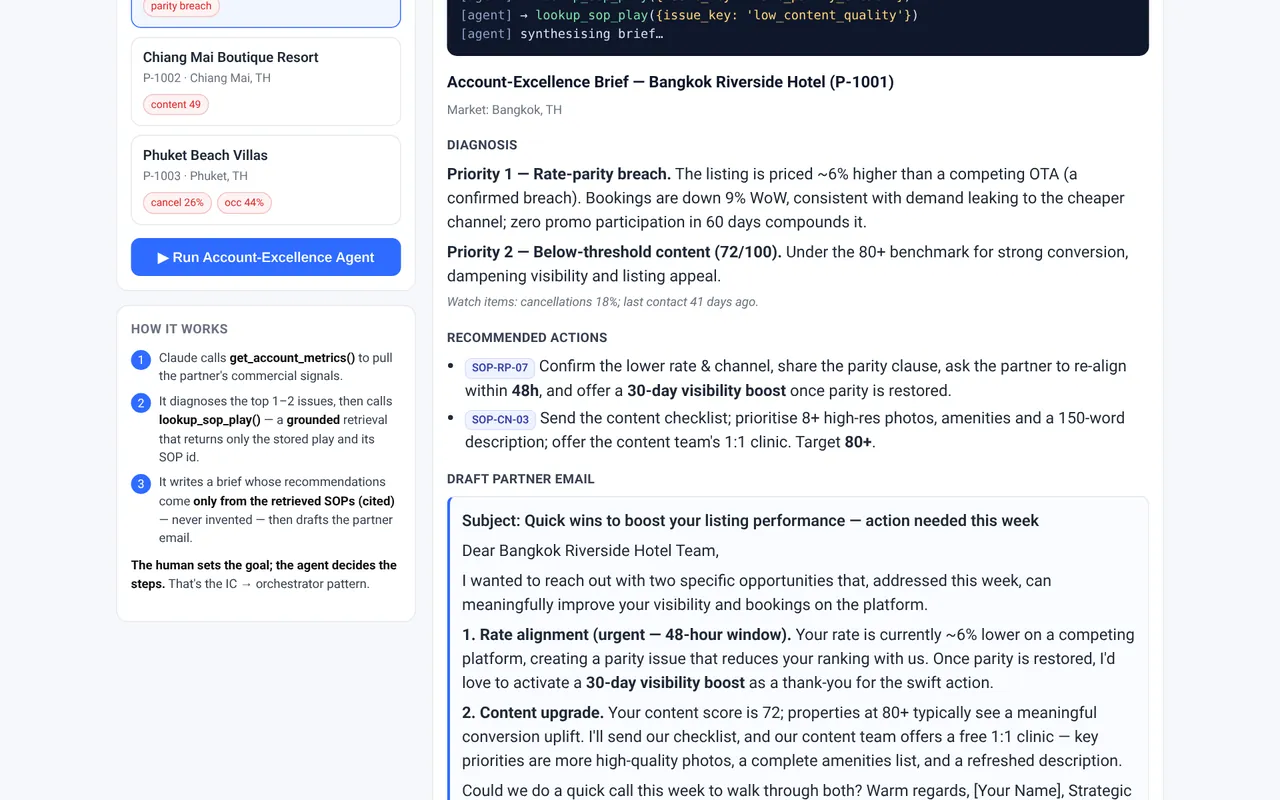
It names the top one or two issues, recommends actions from the matching SOPs with the SOP ID beside each one and drafts the partner email. When the other signals are healthy, it says no other SOP was triggered.
How it works
It is one Claude agent working in a loop. It has a goal and two tools, picks which tool to call next, reads the result and repeats until it has enough to write the brief.
Read the partner
The first tool,
get_account_metrics, returns the partner’s numbers. The agent picks the top one or two issues.Look up the SOP
For each issue it calls
lookup_sop_play. That tool returns only the stored SOP and its ID.Write and cite
It writes the brief from the SOPs it retrieved, tags each recommendation with its ID and drafts the email. If no SOP covers an issue, it flags it for a person instead of inventing a fix.
Screens from the demo
What would change in production
- Connect the metrics tool to real partner data, limited to each account manager’s own book.
- Give each SOP an owner and a review date, so the agent cites the current version.
- Build a test set of partners with briefs a senior account manager has approved, and score every change against it.
- Add a reviewer agent that checks each brief against the cited SOPs before a person sees it.
- Keep a person in charge of every email that reaches a partner, and log their edits to improve the drafts.
- Set tone rules for partner emails. The demo drafts are chattier than a partner email should be, and one opens with an emoji in the subject line.
Honest scope
I built this on my own before I joined Agoda, to learn by building. It has no connection to Agoda or any employer’s systems or data. The partners, metrics and SOPs are synthetic.
The public demo replays briefs the agent produced earlier, so it needs no API key. The full version is a Python script that calls Claude. There is no automated evaluation yet, and I have no time saving figure for this one.